


The Demo Looked Perfect. Then Monday Happened.
The sales demo was flawless. The AI agent handled customer inquiries, pulled up order history, and resolved a refund request in 47 seconds. Your team applauded. You signed the contract.
Three months later, nobody uses it. The agent hallucinates order numbers that don't exist. It forgets what the customer said mid-conversation. It confidently applies the wrong return policy to the wrong product category. Your support team now spends more time fixing AI mistakes than they saved.
For a complete framework on getting started, see our AI Implementation Guide.
This isn't a horror story I made up. According to research aggregated from Forbes and multiple production deployments, approximately 95% of AI initiatives fail—a rate far higher than even typical digital transformation projects. And here's what surprised me after watching dozens of these rollouts: the failures almost never trace back to bad AI models.
They trace back to bad operations.
What Makes a Digital Worker Different From a Chatbot?
Before we fix the problem, we need to name it correctly. Most business owners I talk to use "AI" and "AI agent" interchangeably. They're not the same thing, and confusing them is where the trouble starts.
Google's AI team puts it simply: An LLM is a brain in a jar that knows facts. An agent is that same brain with hands and a plan. It uses logic to break down goals, tools to interact with the world, and memory so it doesn't repeat mistakes.
ChatGPT can write you a refund email. An AI agent can check your inventory system, verify the customer's order history, apply the correct policy, process the refund, and send the email—without you touching it.
That's the promise. The gap between promise and reality is where 95% of projects die.
Why Does Architecture Matter More Than Model Choice?
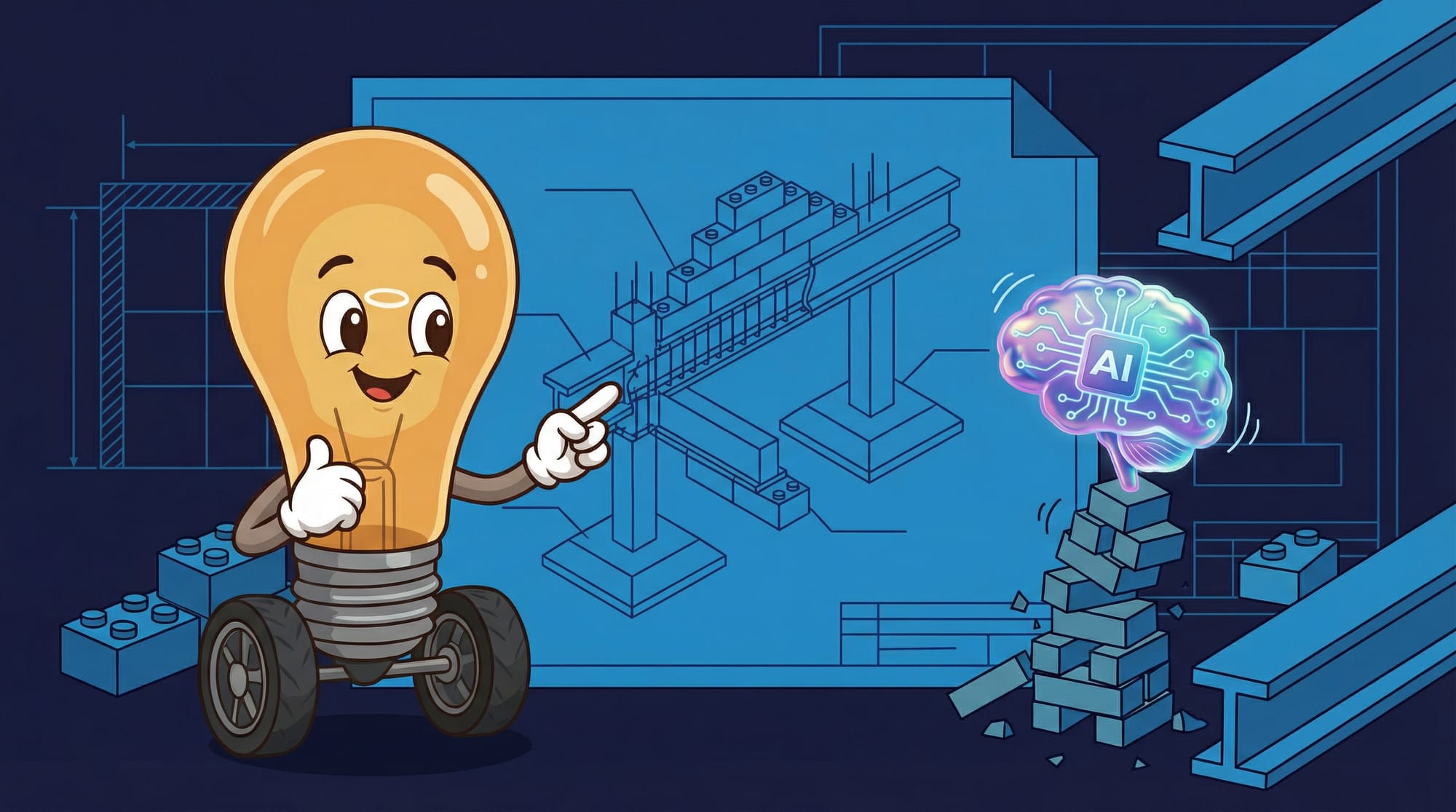
Here's something that challenged my assumptions. I spent years thinking the AI model was the critical decision. GPT-4 versus Claude versus Gemini—surely that's what determines success?
It's not. According to Rahul Jain's analysis of production agent failures, whether you use solo agents, parallel agents, or collaborative agents is a bigger decision than which LLM you're running.
Think of it like building a house. The foundation matters more than the brand of windows. A beautiful window in a cracked foundation still leaks.
The architecture question breaks down into three patterns:
- **Solo agents** handle one task end-to-end. Good for simple, repeatable workflows. Bad for anything requiring coordination.
- **Parallel agents** run multiple tasks simultaneously. Good for throughput. Bad when tasks depend on each other.
- **Collaborative agents** hand off work to specialists. Good for complex workflows. Bad when you can't define clear handoff points.
Most demo failures happen because someone built a solo agent for a job that needed collaboration. The agent looks smart handling one request. It falls apart when Request A needs information from Request B's outcome.
The 90-Day Path From Watching to Doing
After reviewing successful production deployments, one pattern kept emerging. The teams that win don't flip a switch from "off" to "fully autonomous." They run a staged rollout that proves safety before granting autonomy.
Everworker's deployment framework calls this the shadow-to-autonomy model. It's a 90-day program that pairs governance with a careful escalation of trust:
- **Days 1-30: Shadow Mode.** The agent watches your team work. It generates recommendations but takes no action. You're building its understanding of your actual data, your actual edge cases, your actual policies—not the clean demo data.
- **Days 31-60: Guarded Autonomy.** The agent handles routine tasks with human approval gates. Every action gets logged. Every exception goes to a person. You're proving it can be trusted with low-stakes decisions.
- **Days 61-90: Scaled Playbooks.** Successful patterns become documented playbooks. The agent handles proven scenarios autonomously. Humans handle novel situations. You expand the playbook as the agent earns trust.
Moving a pilot to production requires three pillars: defined business outcomes and KPIs, governed technical readiness (data, integrations, security), and a staged rollout that proves safety before autonomy. Skip any pillar and you're building on sand.
What Actually Breaks in Production?
Most AI agent demos look flawless. Then they hit production and completely fall apart. The pattern is so consistent it's almost boring: the agent hallucinates, forgets what it was doing mid-task, or calls the wrong tool at the wrong time.
Let me paint you a picture. It's Thursday afternoon. Your AI agent has been handling invoice exceptions for two weeks. Finance is cautiously optimistic. Then a vendor submits an invoice with a line item that matches two different approval policies. The agent picks one confidently. It's the wrong one. The invoice gets approved at the wrong rate. Nobody catches it until month-end close.
Here's what went wrong: context starvation.
Context is everything for production agents. When an agent handles an invoice exception, it needs to know what triggered it, who submitted it, what policy applies, and what happened last time this vendor had an issue. Without that history, it's just making expensive guesses.
The irony? Agents don't eliminate the need for human judgment—they eliminate the friction around it. Your finance team still makes decisions about exceptions. But instead of spending 70% of close week hunting for missing documentation, they spend 70% actually resolving issues.
How Do You Build the Foundation That Actually Works?
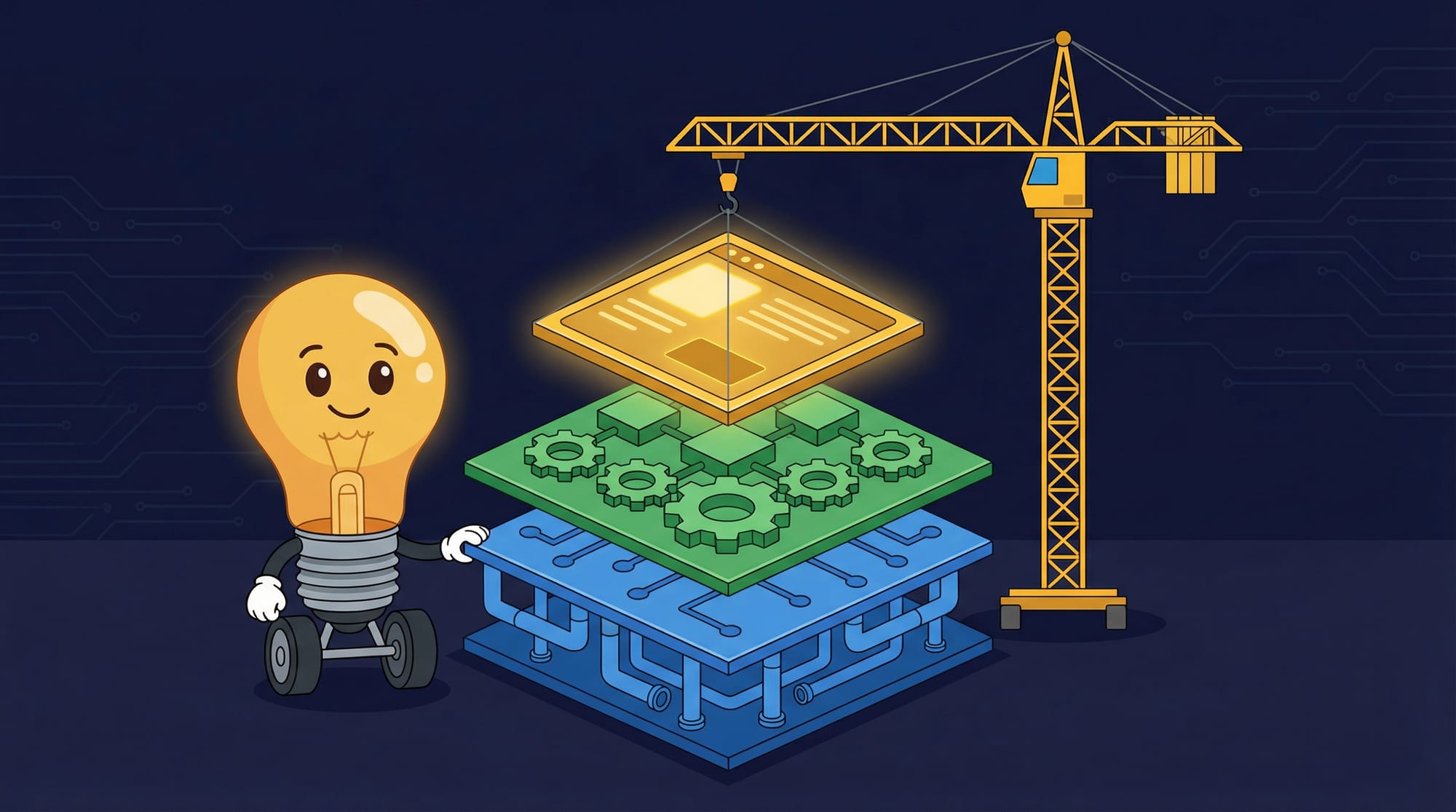
After helping 50+ companies deploy AI systems into production, one practitioner documented the pattern that keeps appearing in successful implementations. It's not complicated, but skipping any layer guarantees failure.
Every successful AI system follows this architecture:
- **Application Layer** — User interface and API gateway. This is what your team and customers see. It handles authentication, rate limiting, and request routing.
- **Orchestration Layer** — Business logic and workflows. This is where your rules live. Which agent handles which request? What approvals are required? What happens when something fails?
- **AI Layer** — Models, prompts, and tools. This is the actual intelligence. But notice: it's the bottom layer, not the top. The AI serves the business logic, not the other way around.
Most failed projects invert this. They start with the AI layer—pick a model, write some prompts, build a demo. Then they realize they have no way to integrate it with existing systems. Then they discover their business rules live in spreadsheets and tribal knowledge.
If you're implementing AI agents for the first time, the counterintuitive move is to ignore the AI entirely for the first two weeks. Document your business rules. Map your data sources. Define your approval workflows. The AI part is the easy part once the foundation exists.
What Are the Real Costs Nobody Quotes?
Vendors quote you the API cost. They don't quote the other 70% of the bill.
Here's what production AI systems actually cost, based on implementation data from multiple deployments:
- **LLM Provider (OpenAI, Anthropic, etc.):** $500-2,000/month depending on traffic. This is the number vendors lead with.
- **Vector Database (Pinecone, Weaviate, Qdrant):** ~$70/month for 10 million vectors. You need this for RAG—retrieval augmented generation—which is how agents access your company's knowledge.
- **Orchestration Infrastructure:** Variable, but budget $200-500/month for workflow tools, logging, and monitoring.
- **Integration Development:** The hidden killer. Connecting your agent to existing systems (CRM, ERP, support tickets) typically costs 40-60% of total project budget.
- **Ongoing Maintenance:** Plan for 15-20% of initial development cost annually. Prompts drift. APIs change. Edge cases accumulate.
BCG's research found that 56% of companies miss AI cost forecasts by 11-25%. The companies that hit their targets follow the 10/20/70 rule: 10% on technology, 20% on data, 70% on people and processes.
Read that again. Seventy percent on people and processes. The AI is the cheap part.
How Do You Know Your Digital Worker Is Actually Working?
93% of IT leaders see value in AI agents but struggle to deliver on that value, according to Salesforce research. Part of the problem: nobody defined what "working" means before they started.
Here's the verification checklist I use after 30+ years of production systems:
- **Task completion rate exceeds 80% without human intervention.** Below this, you have an expensive suggestion engine, not an agent.
- **Error rate stays below 5% for routine tasks.** Humans make mistakes too—the bar isn't perfection. It's "better than the current process."
- **Time-to-resolution drops measurably.** If your support tickets took 4 hours and now take 45 minutes, that's signal. If the number didn't move, the agent isn't working.
- **Human escalations follow predictable patterns.** Random escalations mean the agent is guessing. Predictable escalations (always this vendor, always this policy) mean you can expand the playbook.
- **Cost per task decreases over time.** As the agent learns and handles more edge cases, your cost-per-resolution should trend down. If it's flat or rising, something's wrong.
What Are the Hidden Tradeoffs?
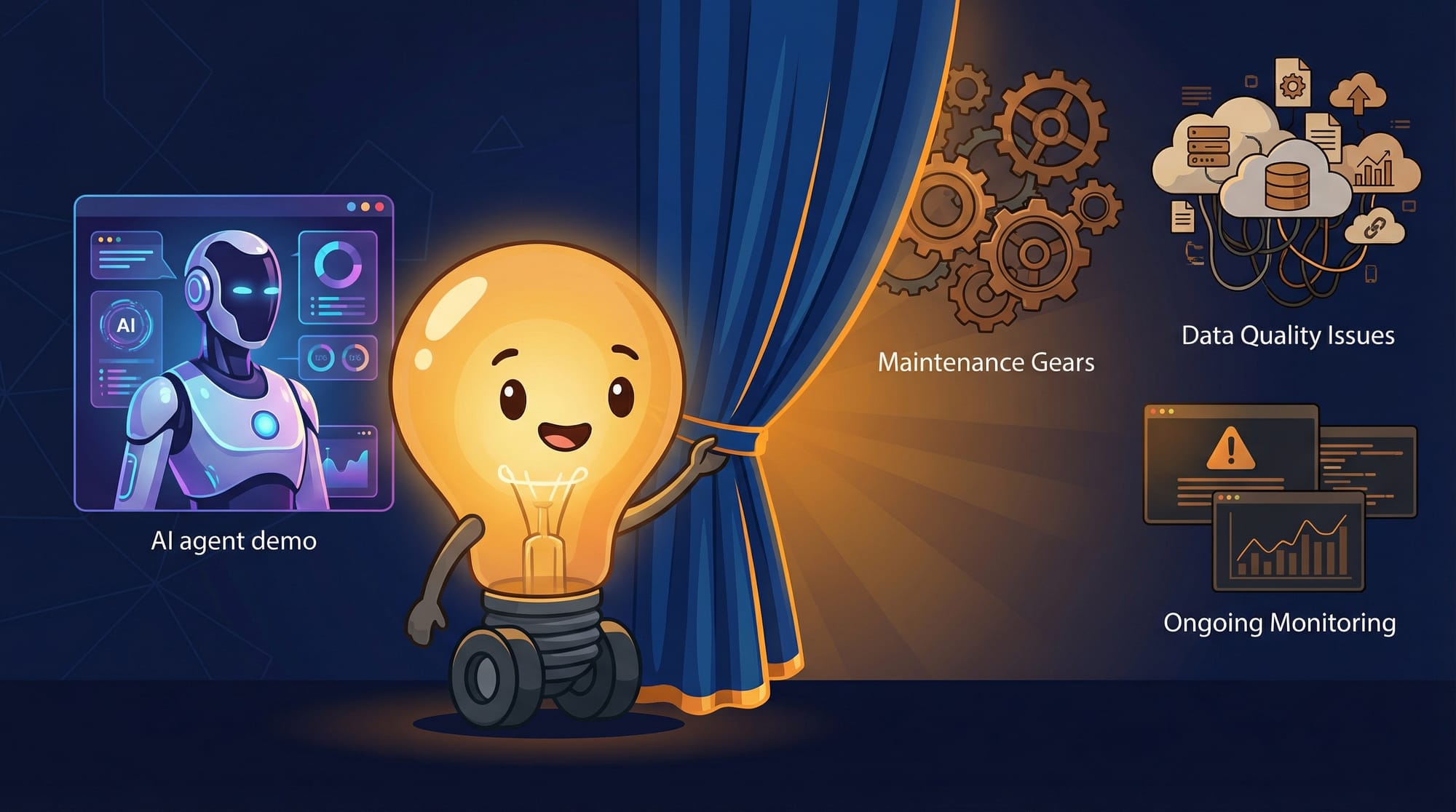
Every AI agent deployment involves tradeoffs nobody mentions in the sales deck. Here's what I've learned the hard way:
- **Speed vs. accuracy tradeoff.** Faster responses mean less context retrieval. More context means slower responses. You can't optimize both. Decide which matters more for your use case.
- **Autonomy vs. control tradeoff.** More autonomous agents require less human time but carry higher risk when they're wrong. More controlled agents are safer but defeat the purpose of automation. Find your threshold.
- **Flexibility vs. reliability tradeoff.** Agents that handle novel situations well tend to be inconsistent on routine tasks. Agents that nail routine tasks tend to break on edge cases. Most teams need both—which means multiple agents.
- **Cost vs. capability tradeoff.** Smarter models cost more per query. GPT-4 handles complexity better than GPT-3.5, but at 10-30x the cost. Run the math on your actual task distribution.
- **Integration depth vs. maintenance burden.** Deep integration with existing systems makes agents more useful but creates more breakpoints. Every API connection is a future maintenance task.
The biggest mistake when building agentic AI is starting with a solution instead of the problem. Many teams pick a tool, then look for problems it can solve. The result is often agents that look smart but don't deliver real value—systems that break easily and high costs with little business impact.
Key Takeaways
- **95% of AI agent projects fail**, but the failures trace to bad operations, not bad models. Architecture choices matter more than which LLM you pick.
- **The 90-day shadow-to-autonomy approach** lets agents prove safety before earning trust. Shadow mode (observe only) → guarded autonomy (act with approval) → scaled playbooks (act on proven patterns).
- **Context is sacred.** Agents without task history, policy data, and feedback loops are just making expensive guesses. Build the memory system before you build the agent.
- **Real costs run 3-4x the quoted API fees.** Budget 10% for technology, 20% for data, 70% for people and processes. The AI is the cheap part.
- **Define "working" before you start.** Track task completion rate, error rate, time-to-resolution, and cost per task from day one. No baseline means no proof of value.
Frequently Asked Questions
How long does it take to deploy a production AI agent?
Plan for 90 days minimum using the shadow-to-autonomy approach. The first 30 days are shadow mode (agent watches, doesn't act). Days 31-60 are guarded autonomy (acts with approval). Days 61-90 scale proven patterns. Rushing this timeline is how 95% of projects fail.
What's the minimum budget for a production AI agent?
Expect $2,000-5,000/month for a basic production system: $500-2,000 for LLM costs, ~$70 for vector database, $200-500 for infrastructure, plus integration development. BCG's research shows 70% of budget should go to people and processes, not technology.
Should I build custom or buy a platform?
Start with a platform if your use case is common (customer support, document processing, scheduling). Build custom if your business logic is unique or you need deep integration with proprietary systems. Either way, the 90-day rollout process is the same.
How do I know if my business is ready for AI agents?
You need three things: documented business rules (not just tribal knowledge), clean data sources the agent can access, and a workflow with enough volume to justify automation. If your team handles fewer than 50 similar tasks per week, agents probably aren't worth the overhead yet.
What happens when the AI agent makes a mistake?
This is why the shadow-to-autonomy approach matters. In shadow mode, mistakes are caught before they affect customers. In guarded autonomy, approval gates limit blast radius. In scaled playbooks, you have documented rollback procedures. The question isn't whether mistakes happen—it's whether your system catches them before they compound.
Sources
- Medium - From Shiny Demos to Agent Factory
- Medium - Building Production-Ready AI Systems 2025
- Everworker - Move from AI Pilot to Production at Scale
- LinkedIn - AI Agents Fail in Production
- AI2 Incubator - The State of AI Agents in 2025
- BCG - How Agents Are Accelerating AI Value Creation
- Google Cloud - AI Grew Up and Got a Job
- Agentive AI - Building Agentic AI with Problem-First Approach
For more insights like this, explore our AI strategy guide.


